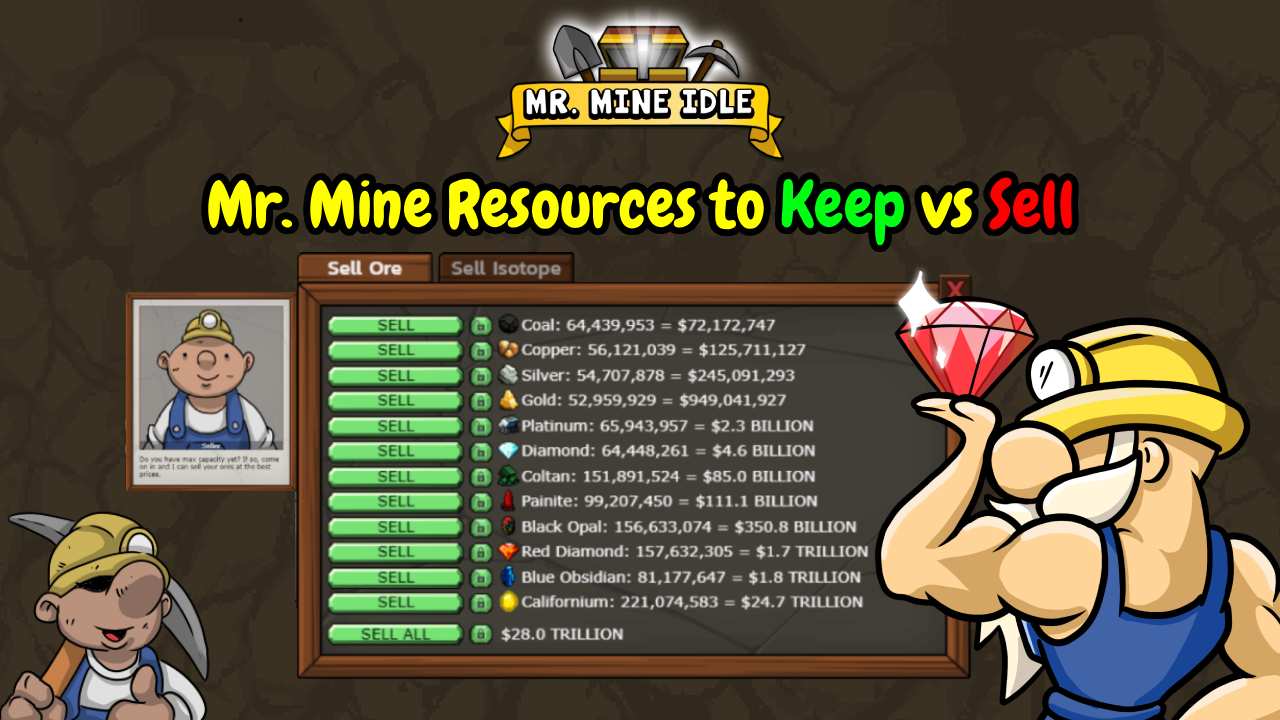
Managing resources is an important part of progressing in Mr. Mine.
Selling minerals gives you cash for upgrades, but selling everything can leave you short of materials for valuable drill blueprints and late-game systems.
Some resources are easy to replace, while others are better saved until you know what your next upgrade requires.
This guide explains which Mr. Mine resources to keep vs sell, and how to balance selling with long-term progression. You’ll also learn how to use resource locks and manage your inventory without slowing down your mining operations.
What Should You Keep vs Sell in Mr. Mine?
In general, sell surplus common minerals, but save isotopes and resources required for upcoming blueprints.
Don’t judge a resource by its sale price alone. A mineral that provides good cash might also be essential for your next drill or structure upgrade.
| Resource | Recommendation | Reason |
|---|---|---|
| Coal, Copper, Silver, Gold | Sell surplus | Common income sources; save required blueprint amounts |
| Platinum, Diamond, Coltan, Painite | Keep or sell depending on upgrades | Materials may be needed for crafting |
| Black Opal, Red Diamond, Blue Obsidian | Reserve needed quantities | Relevant to various blueprints and structures |
| Uranium, Plutonium, Polonium isotopes | Generally keep | Important for advanced crafting and Reactor-related progression |
| Oil | Save for planned uses | Supports buildings, crafting, and Reactor components |
| Building Materials | Prioritize saving | Used to upgrade important structures |
| Aluminum, Magnesium | Save when approaching Reactor requirements | Needed for particular Reactor components |
These are general guidelines, not permanent rules. The amount you should keep depends on your progress and the upgrades you want to buy next.
So, check your available blueprints before selling a large quantity, especially when preparing for the Reactor or other late-game systems.
Understanding How Resources Work in Mr. Mine
Minerals in Mr. Mine provide income and crafting materials, while isotopes support more advanced upgrades and systems.
Knowing how each resource works helps you decide what to sell and what to keep for future progress.
What Are Minerals and How Do You Collect Them?
Minerals are the resources your miners collect as they dig through the mineshaft. As mining continues, they produce materials that you can sell for cash or save for crafting and upgrades.
As you reach deeper layers, you unlock more valuable and less common minerals. These new resources can sell for higher prices, but they may also appear in later blueprints and crafting recipes.

Mineral value generally increases with mining depth. This gives you access to better sources of income as your operation expands.
However, a higher sale price doesn’t automatically make a mineral expendable. Before selling a large amount, check whether you need it for an upcoming upgrade.
What Are Isotopes and Why Are They Different?
Isotopes are a separate resource category from ordinary minerals. They become important as you progress toward more advanced crafting and systems, including the Reactor.
Uranium, Plutonium, and Polonium are examples of isotopes that players should generally preserve.

Although selling them can provide more cash, replacing them later may slow down progress when an upgrade or Reactor component requires them.
Unlike common minerals that you can often sell in surplus, isotopes are better treated as resources for planned upgrades.
Keep them in reserve unless you’ve checked your current requirements and know you have more than you need.
What Can You Do With Resources Besides Selling Them?
Selling minerals is only one way to use your inventory. Here are other ways you can spend your resources:
- Craft drill upgrades: Use required minerals and materials to improve your drilling equipment and dig deeper.
- Upgrade structures: Spend resources on buildings and facilities that provide useful functions.
- Trade at the Trading Post: Exchange materials through available offers when trading is more useful than selling for cash.
- Prepare for advanced features: Save specific minerals, isotopes, and other materials for later crafting and systems.
Before selling a resource, consider its role in your next upgrade.
A little planning can prevent you from having to collect the same materials again after discovering that a blueprint needs them.
Which Resources Should You Keep in Mr. Mine?
The best resources to keep are the ones that are difficult to replace or needed for important upgrades.
Isotopes, rare minerals, Building Materials, and Oil can all become bottlenecks as you progress.
Keep Isotopes for Advanced Upgrades and the Reactor
Isotopes are among the most important resources to keep in Mr. Mine. They are used in many blueprints and advanced systems.
Unlike ordinary minerals, they cannot be purchased or traded, so you must collect them through mining or obtain certain types through the Reactor.
Selling isotopes for quick cash can create a long wait when a blueprint or Reactor recipe needs them again.
So, it’s generally best to keep them, especially the higher tiers, rather than treating them as ordinary income.
Save Minerals Required for Your Next Drill Blueprint
Before selling minerals, check the blueprints for your next drill upgrade.
You don’t need to keep every mineral at its maximum possible amount. Instead:
- Identify the next upgrade you want to craft.
- Check its required materials and quantities.
- Reserve those amounts before selling anything.
- Keep an additional buffer if you are working toward several upgrades that use the same resource.

This approach gives you cash from surplus minerals without forcing you to collect the same materials again when you’re ready to craft.
Reserve Rare Minerals Before Spending Them
Rare minerals are tempting to sell because they often sell for much more.
However, materials such as Red Diamond, Blue Obsidian, Black Opal, and Californium appear in later blueprints and other crafting requirements.
Still, rarity alone doesn’t mean you must keep every unit forever.
Check your current recipes and progression goals, reserve the quantities you need, and sell the surplus if you need money or storage space.
Keep Building Materials for Valuable Structure Upgrades
Building Materials are used to upgrade structures through the Craft Center.
Save these materials for structures that improve your overall operation, including:
- Manager: Unlock resource locks and improve offline progression.
- Trading Post: Invest in its upgrades to improve your trading options.
- Gem Forge: Increase the number of gems you can craft at the same time.
- Other structures: Consider upgrades for the Chest Collector, Chest Compressor, Metal Detector, and Oil Rig.

Building Materials are not ordinary minerals, and you cannot simply collect them by leaving your miners running.
Since several useful structures compete for the same resource, check their upgrade costs and prioritize the ones that support your current goals.
Save Oil for Crafting and Late-Game Systems
Oil becomes available through the Oil Pump in the Underground City.
It’s used in several important upgrades, including later drill blueprints and Reactor-related crafting requirements.
The Oil Pump stops producing when its storage is full, so upgrade its capacity and collect Oil regularly.
Which Minerals Should You Sell in Mr. Mine?
Selling minerals is one of the main ways to earn cash in Mr. Mine. However, selling too much can leave you without the materials needed for your next upgrade.
Sell Excess Common Minerals for Quick Cash
Coal, Copper, Silver, and Gold are useful early-game income sources.
They are also required for several early blueprints, so avoid selling your entire supply just because you have unlocked deeper minerals.
Check your next planned upgrades and reserve the required amounts. Once you have enough for those recipes, sell the surplus to fund other improvements.
Sell Minerals You No Longer Need for Immediate Upgrades
You don’t need to stockpile every mineral indefinitely. Once you have completed a blueprint, review whether that resource is needed for another upgrade you plan to craft.
For example, if you’ve finished an upgrade that required Platinum, check the next drill, fan, engine, and cargo recipes before continuing to reserve large amounts of it.
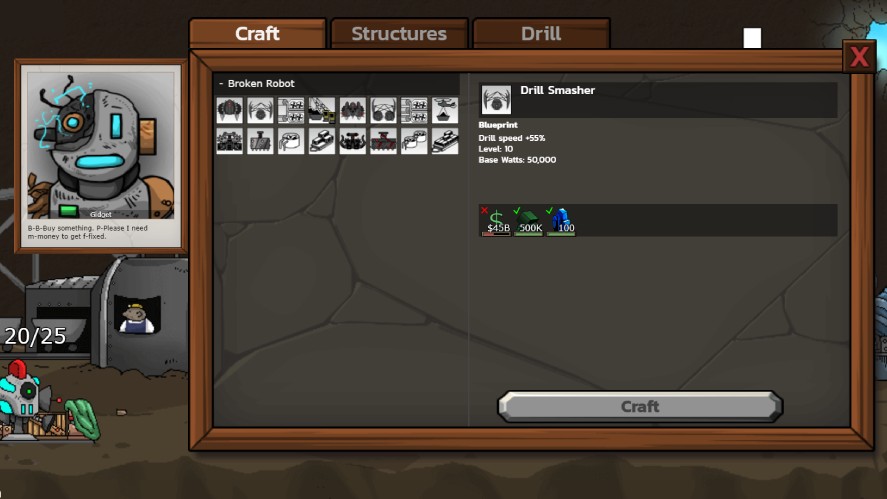
Also, your resource reserves should change as you progress.
Keep materials for your next goals, but don’t let completed upgrades turn into a reason to hold unnecessary stock forever.
Sell Surplus Minerals When Cargo Is Nearly Full
Cargo capacity limits how many minerals and isotopes your miners can hold.
When your inventory reaches its capacity, miners stop collecting more resources until you free up space.
If cargo is nearly full, visit the Sell Center and clear minerals you don’t need for upcoming blueprints. You can sell individual minerals or use Sell All to remove surplus stock.
If you’ve unlocked the Manager, set resource locks before selling.
Should You Always Sell Your Most Valuable Mineral?
No. A mineral’s sale price doesn’t tell you whether it’s safe to sell.
Selling a large reserve could delay an upgrade, even if the sale gives you a substantial amount of cash.

Instead of automatically selling the highest-value mineral, compare its current inventory with your upcoming blueprint requirements.
If you have enough for your planned upgrades, selling the surplus can be a good way to raise money. If not, keep the amount you need and sell other available minerals.
How to Sell Resources Without Losing Important Materials
The Sell Center lets you turn minerals and isotopes into cash.
To avoid losing materials you still need, use the Manager’s resource locks to protect specific quantities before selling your surplus.
How Does the Sell Center Work in Mr. Mine?
The Sell Center is where you sell minerals and isotopes for money. You can sell resources individually using the Sell button beside each material or use Sell All to sell all unlocked resources at once.
You can open the Sell Center using the S shortcut.
Additional Sell Centers become available as you unlock other worlds, such as the Moon and Titan.
How to Unlock the Manager and Lock Resources
The Manager is an upgrade for the Sell Center.
Its first level unlocks resource locks, allowing you to set a minimum quantity of each mineral or isotope to keep when selling.
To unlock Manager Level 1, you need:
- 2 Building Materials
- 100 Red Diamond
Once unlocked, a lock icon appears beside the selling controls for eligible resources.
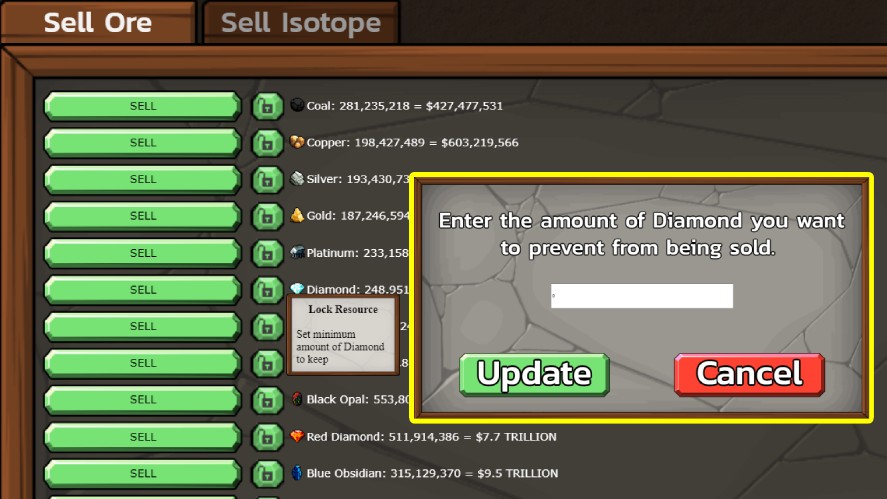
You can enter the amount you want to preserve. Any quantity above that limit can still be sold, while the protected amount remains in your inventory.
The Manager also improves offline progression through its later upgrades, but you only need Level 1 to access resource locks.
Step-by-Step Guide to Setting Mineral Reserves
Follow these steps to protect materials before selling your surplus:
- Check your upcoming blueprints: Open the blueprint menu and identify the drill, engine, fan, or cargo upgrade you want to craft next.
- Identify the required amounts: Check how much of each mineral or isotope the blueprint needs. Account for other upgrades you plan to build soon.
- Set resource locks: Open the Sell Center, click the lock icon beside each required resource, and enter the quantity you want to keep. You can also click a resource directly in a blueprint to lock its required amount.
- Sell the surplus: Use the individual Sell buttons or Sell All. The game will preserve locked quantities and sell anything above them.
- Update your locks: After completing an upgrade, review your reserves. Reduce or remove locks for materials you no longer need so you can sell more of your inventory.
Remember that a resource lock protects a fixed quantity, not a percentage of your inventory. If you set a lock for 100,000 Copper, the game keeps that amount and sells any excess.
When Is It Safe to Use the Sell All Button?
Sell All is safe to use when you’ve checked your reserves and locked the resources you need. The button sells all unlocked minerals and isotopes, leaving protected quantities untouched.
Before using it, check the total sale value and make sure your locks cover upcoming blueprint requirements.
If you haven’t unlocked the Manager, be more careful. Sell All can remove your entire stock of a resource, so sell materials individually when you need better control.
How to Prevent Cargo Capacity From Stopping Production
Your cargo capacity determines how many minerals and isotopes your miners can collect. When it becomes full, miners stop working until you free up enough space.
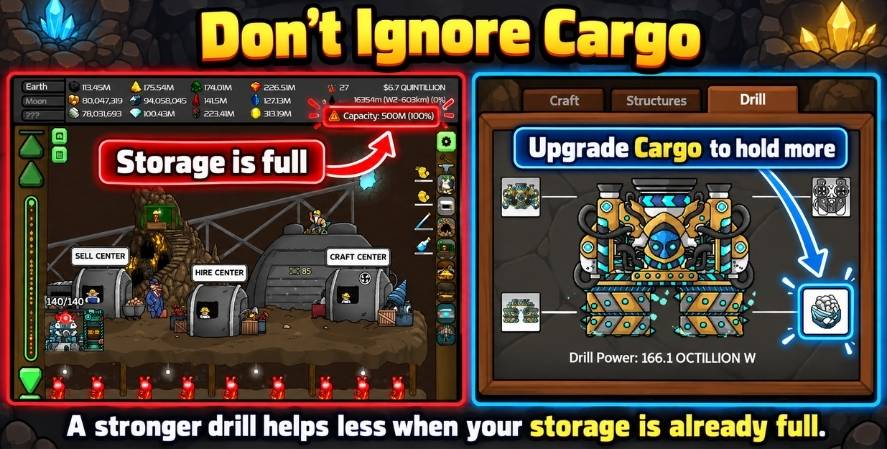
To prevent this, check your cargo regularly and sell surplus materials before reaching the limit.
You can also craft cargo blueprints to increase your storage capacity.
The best approach is to combine regular selling, sensible resource locks, and cargo upgrades. This keeps your miners working while preserving the materials you need for future progress.
Mr. Mine Resource Management Strategy by Game Stage
Your resource priorities change as you unlock deeper parts of Mr. Mine.
Adjust your reserves as you unlock new systems instead of following the same selling strategy throughout the game.
Early Game: Mr. Mine Resources to Keep vs Sell
During the early Earth stages, focus on generating cash and improving your mining operation.
Coal, Copper, Silver, and Gold are useful sources of income, so selling their surplus can help you afford drill, engine, fan, and cargo upgrades.
You don’t need to stockpile every mineral you collect. Keep enough for the next blueprints you plan to craft, then sell the excess to fund upgrades and expand your operation.
As you reach new milestones, remember to check the additional features you unlock.

The Trading Post becomes available at 15 km, for example, and can offer rarer materials in exchange for resources you already have.
Mid Game: Balance Selling With Blueprint Requirements
As you dig deeper into Earth, upgrade recipes become more demanding.
Minerals such as Platinum, Diamond, Coltan, Painite, Black Opal, Red Diamond, and Blue Obsidian start appearing in more advanced blueprints.
This is when you should become more deliberate about your resource reserves.
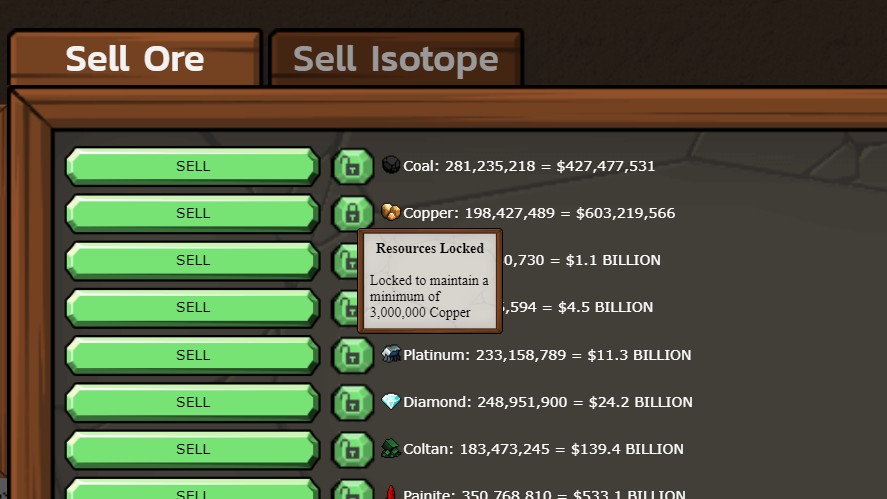
Check the next available drill blueprints before selling large quantities. You can also use the Manager’s resource locks to protect materials you want to keep when using Sell All.
The Trading Post can help during this stage, especially when you have a large supply of common minerals but need a smaller amount of a newly unlocked resource.
Late Game: Preserve Isotopes and Prepare for the Reactor
As you approach the deeper Earth stages, isotopes become increasingly important.
Uranium, Plutonium, and Polonium are used in advanced blueprints and Gem Forge recipes, as well as later Reactor-related progression.
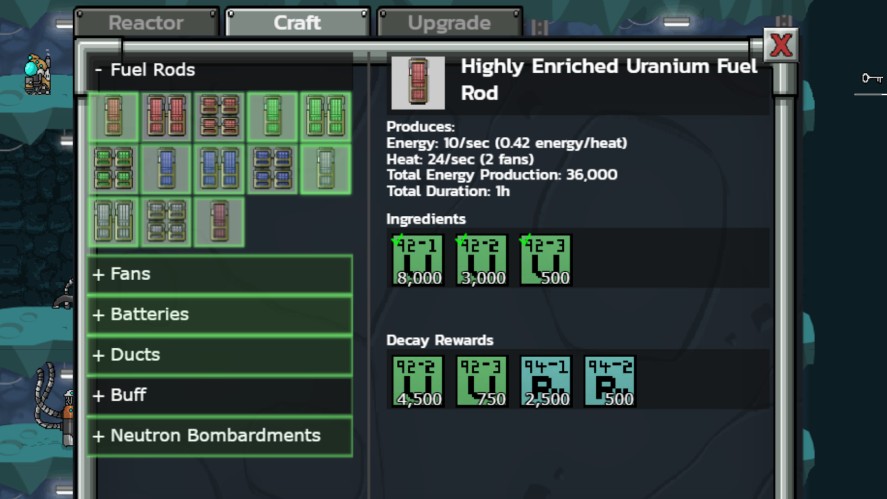
The Reactor unlocks at approximately 1,133 km total depth, or 101 km into the Moon.
Don’t wait until you reach it to start thinking about isotope reserves. These materials are collected through mining, and replacing a large quantity after selling them can take considerable time.
Moon and Titan: Adjust Your Resource-Saving Strategy
Reaching the Moon and Titan introduces new minerals, isotopes, blueprints, and separate Trading Posts and Sell Centers.
Your Earth resource locks won’t replace the need to manage these new inventories.
The main game strategy is to reassess your inventory whenever you enter a new world. Don’t keep every material indefinitely, but don’t sell unfamiliar resources before checking their blueprint and crafting uses.
Protect the quantities you need, then sell genuine surplus to support your progress.
Advanced Tips to Maximize the Value of Your Resources
Managing resources efficiently involves more than deciding what to sell.
These strategies help you earn cash while keeping the materials needed for future progress.
Sell or Trade? How to Choose the Better Option
The Trading Post lets you exchange selected resources for other materials. This can be useful when you need a specific mineral for an upcoming blueprint but don’t have enough of it.
Before accepting an offer, consider:
- What you receive: Is the offered resource difficult to obtain through normal mining?
- What you give up: Are the requested materials needed for another blueprint?
- Your current goals: Will the trade help you complete an important upgrade sooner?

Not every deal is worthwhile.
So, compare the materials and quantities carefully, especially when an offer requests rare minerals or isotopes you have been saving.
Use Midas Touch and Other Selling Bonuses Wisely
Midas Touch is a useful bonus when you plan to sell a large quantity of minerals or isotopes. It gives each sale a chance to earn double its normal value.
The temporary Midas Touch buff increases this chance for a limited time, while the Midas Touch relic provides a permanent bonus.

To make better use of Midas Touch:
- Accumulate surplus minerals before activating a buff.
- Combine it with increased cargo capacity so you can collect more resources before selling.
- Keep blueprint reserves locked to avoid selling materials you still need.
You don’t need to delay every sale while waiting for a bonus.
If your cargo is nearly full, selling surplus resources is often more valuable than letting your miners stop collecting.
Plan Resource Reserves Around Your Next Major Upgrade
A good resource plan starts with the next major upgrade you want to craft.
Instead of keeping arbitrary amounts of every mineral, calculate what you need and compare it with your current inventory.
Use this simple process:
- Choose your next upgrade: Decide which drill, engine, fan, or cargo blueprint you want to complete.
- Check its recipe: Record the required minerals, isotopes, and cash.
- Compare your inventory: Calculate how much of each resource you’re missing.
- Estimate collection time: Consider how quickly your miners can produce the remaining materials.
- Set your reserves: Lock the quantities you need and sell the remaining surplus.
Also account for other upgrades you plan to craft soon.
Two blueprints may require the same mineral, so reserving materials for only one recipe could leave you short later.
Prioritize Cargo Upgrades to Reduce Resource Waste
Consider upgrading cargo when your inventory regularly fills up before you can sell or use the materials.
More capacity is especially helpful when you’re saving large quantities for expensive blueprints or waiting to sell surplus resources during a Midas Touch bonus.
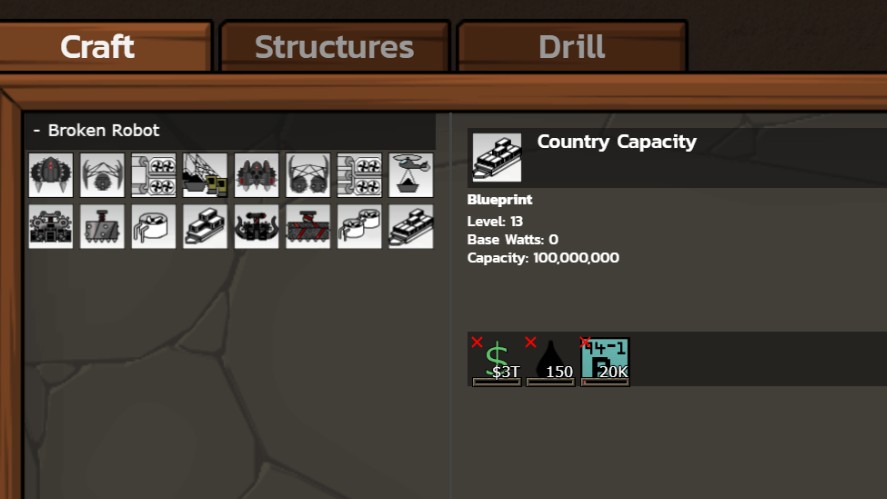
However, don’t spend all your cash on cargo if storage rarely becomes a problem.
Compare its cost with other available upgrades and prioritize the improvement that addresses your biggest bottleneck.
Common Mistakes About Mr. Mine Resources to Keep vs Sell
Selling resources helps fund upgrades and manage cargo space, but poor decisions can slow down your progress.
These common mistakes can leave you short of important materials or reduce the amount your miners collect.
Selling All Your Isotopes Too Early
Isotopes such as Uranium, Plutonium, and Polonium are used in advanced crafting and systems.
Selling them as soon as they appear can leave you without enough materials when you need them for later upgrades.
Instead of selling your entire stock, keep a reserve for planned blueprints and other requirements. You can sell any amount left over after accounting for those needs.
Using Sell All Without Setting Resource Locks
Sell All can clear out a large amount of inventory quickly.

However, if you haven’t protected the resources you need, you may sell materials required for upcoming blueprints.
To avoid this, unlock resource locks through the Manager, then set aside the quantities you want to keep before using Sell All.
Keeping Every Mineral and Filling Cargo Capacity
Selling too little can also hurt your progress.
If you keep every mineral instead of clearing out surplus, your cargo can fill up and prevent miners from collecting more minerals and isotopes.
So, sell minerals you no longer need and upgrade cargo capacity if you regularly run out of space.
Ignoring Upcoming Blueprint Requirements
A mineral may seem easy to replace, but selling too much can delay an important upgrade.
This is especially frustrating when several blueprints require the same resource.

Before making a large sale, check the materials needed for your next planned upgrade. Keep enough for that blueprint and any other near-term goals, then sell the remaining surplus.
Never Updating Resource Locks After Upgrading
Resource locks protect inventory, but the amounts you need can change as you complete upgrades.
After crafting a blueprint or changing your upgrade plans, review your locks in the Sell Center. Reduce reserves you no longer need so more of your inventory becomes available for sale.
Frequently Asked Questions About Mr. Mine Resources
No, sell surplus minerals to earn money, but keep enough for upcoming blueprints and upgrades. Check your resource needs before using Sell All.
It depends. You should protect the isotopes and minerals needed for advanced crafting and upcoming upgrades.
Generally, yes. Uranium, Plutonium, and Polonium are used in advanced systems and crafting. Keep a reserve for future requirements before selling any surplus.
There is no single best mineral to sell in every situation. Prioritize surplus minerals with good sale value, but check their blueprint requirements before clearing your inventory.
Upgrade the Manager to Level 1 to unlock resource locks. You can then set the amount of each resource to protect from sales. Sell All will leave those locked quantities in your inventory.
Your miners stop collecting minerals and isotopes, but the drill continues descending. Sell surplus resources or upgrade cargo capacity to make room for more materials.
It depends on what you need. Selling provides money, while Trading Post deals exchange resources for other materials.
Yes, new areas and advanced systems introduce additional resource requirements. Check the relevant blueprints and Reactor requirements before selling materials you may need later.
Conclusion
Managing resources in Mr. Mine means balancing immediate income with future upgrades.
Keep isotopes for advanced systems, reserve minerals and materials for upcoming blueprints, and sell surplus minerals to fund upgrades and keep your miners collecting.
Review your resource locks regularly, especially after completing major upgrades or changing your plans.
For more tips, explore our other Mr. Mine guides or jump into the mines and put your resource strategy to work.