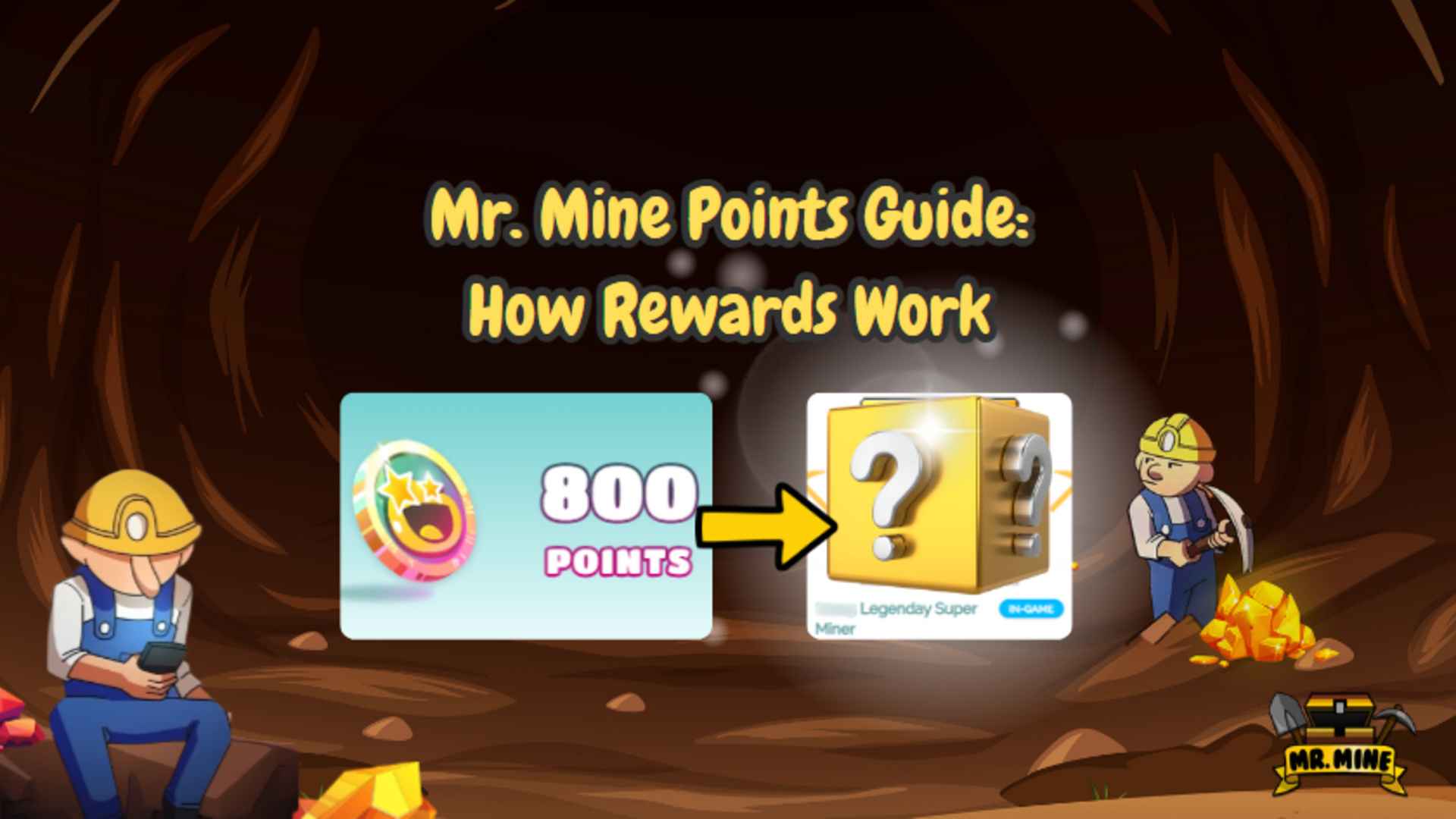
Mr. Mine Points let players turn account activity into rewards. You can collect points, open the Point Shop, choose a reward, and submit your request. After approval, you can claim the reward in Mr. Mine.
The system is simple, but each step matters. You need to use the right Playsaurus account. You also need to check the reward details before you spend your points. Some rewards may not arrive right away because they must be reviewed first.
This guide explains how the points system works from start to finish. You will learn what points are, where to find the Point Shop, how to redeem points, and what happens after you choose a reward.
For players who enjoy Mr. Mine, this system adds another goal outside the main mining loop. It gives you a reason to stay signed in, check available rewards, and plan how to use your points wisely.
What Are Mr. Mine Points?
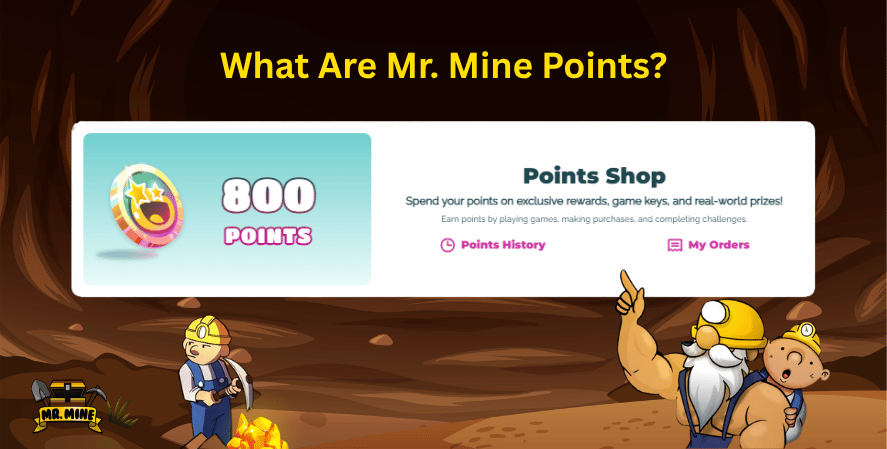
Mr. Mine Points are points linked to Mr. Mine and Playsaurus. Players can use them in the Point Shop to get rewards.
The idea is easy to understand. You collect points, choose a reward, and exchange your points for that reward. This is called a reward points exchange.
Some players search for this system as Mr Mine Points. Others may call them Playsaurus points because they are connected to a Playsaurus account.
The Purpose of Mr. Mine Points
Mr. Mine Points give players another reason to stay active in the game. They connect player activity with rewards outside the normal mining system.
Mr. Mine is built around long-term progress. You mine, upgrade, wait, and improve over time. This is common in incremental games, where small steps lead to bigger results.
The points system follows the same idea. You do not need to rush. You can save points and use them when you find a reward you really want.
The system also works best with a linked Playsaurus account. When you sign in, your points and rewards stay connected to one account. This makes it easier to track redemptions and claim items later.
Points can also help support the game community. Players may talk about rewards, compare Point Shop items, or share tips on when to save and when to spend.
What Can Mr. Mine Points Be Used For?
Mr. Mine Points can be used in the Point Shop to redeem available rewards.
The rewards may change over time. Some may be account bonuses. Others may be special in-game items, promo rewards, or future offers from Playsaurus.
Some players may also look for rewards tied to video game merchandise. Availability depends on what the Point Shop currently offers.
Rewards are not always instant. In most cases, you need to choose an item, confirm your redemption, and wait for approval.
This makes game points a resource worth managing. Use them with care, just like minerals, upgrades, and other progress tools in Mr. Mine.
How the Mr. Mine Points System Works
The Mr. Mine Points system works through a simple process: sign in, visit the Point Shop, redeem points, wait for review, and claim the reward in-game. Each step matters because rewards are tied to your account.
For players familiar with clicker games online, this process may feel similar to other account-based reward systems. The main difference is that Mr. Mine uses its own Point Shop flow connected to Playsaurus.
Step 1: Sign Into Your Playsaurus Account
Before using points effectively, you should sign into your Playsaurus account. This step is important because rewards need to be connected to the correct player profile.
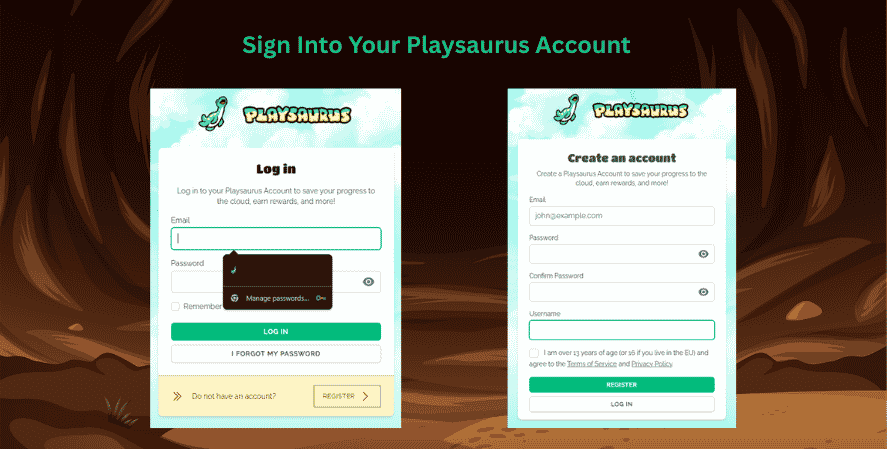
Using the same account everywhere helps prevent confusion. If you play Mr. Mine in one place but log into a different account in another, your points or rewards may not appear where you expect them. Keeping one consistent account makes the redemption process smoother.
This is especially important for players who switch between devices or platforms. A linked account keeps your reward activity organized and reduces the chance of missing a reward after approval.
The Playsaurus account acts as the bridge between your game activity and the Point Shop. Without that connection, it may be harder to track or claim your rewards.
Step 2: Visit the Point Shop
After signing in, the next step is to visit the Point Shop. This is where you can view the rewards currently available and decide how to use your points.
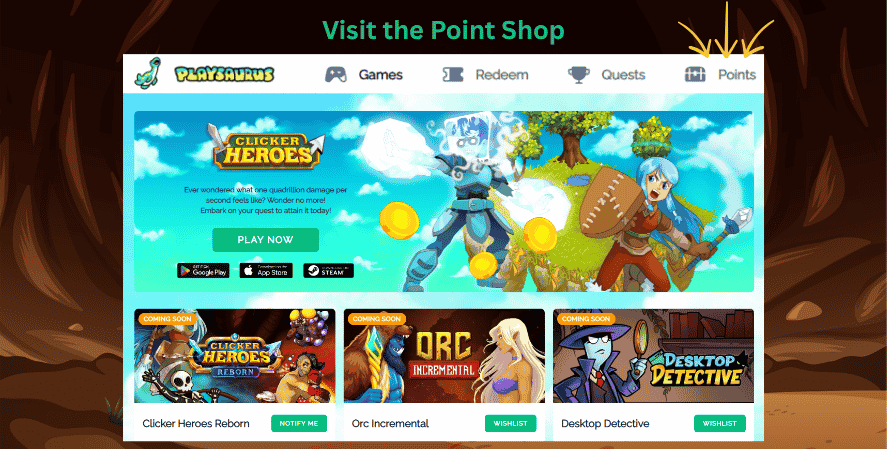
There are generally two ways players may access the shop:
One way is through the game itself, usually by navigating from the main menu to the account and rewards area. Another way is through the web portal, where the Point Shop may be accessible outside the game.
The Point Shop is the central place for browsing rewards, checking point requirements, and beginning the redemption process. Before selecting anything, it is a good idea to read the reward details carefully. Some rewards may have requirements, account restrictions, approval steps, or other conditions.
Step 3: Redeem Your Points
Once you find a reward you want, you can begin the redemption process. This is where you redeem points in exchange for the selected item.
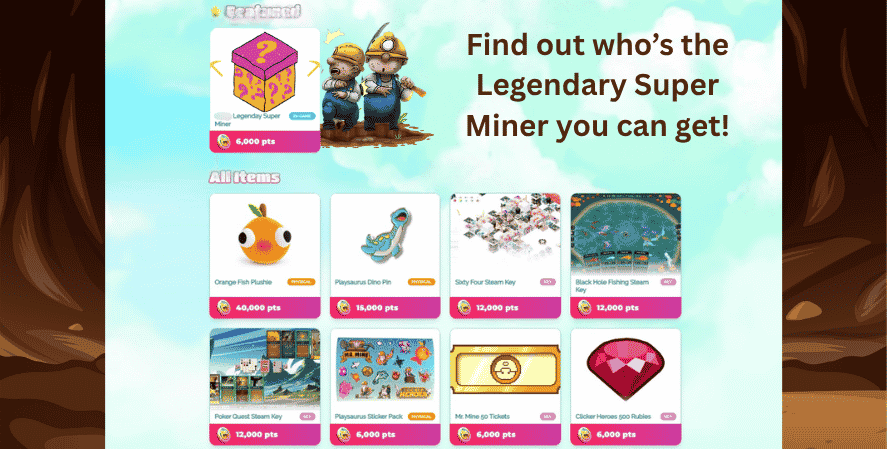
The usual flow is straightforward:
- Browse available rewards.
- Select the item you want.
- Review the cost and requirements.
- Confirm the redemption.
- Wait for the reward to enter the review process.
Because points are a limited resource, it is worth thinking carefully before confirming. Do not spend points just because a reward is available. Save them for items that genuinely matter to you.
This is where basic game strategy comes into play. Some players prefer to spend points quickly on smaller rewards, while others save for larger or more valuable items. Neither approach is automatically better. The best choice depends on your goals and how often you participate in the rewards system.
Step 4: Reward Review and Approval
After you redeem a reward, it may not appear instantly. Some rewards go through a review and approval process before they are delivered.
This approval step helps ensure that redemptions are valid and properly connected to the correct account. It may also help prevent mistakes, duplicate claims, or issues with account eligibility.
Because of this, a reward can remain pending for a period of time. Pending status usually means the request has been submitted but has not yet been fully approved or delivered.
This can feel confusing if you expect instant delivery, but it is a normal part of many account-linked reward systems. The important thing is to check your account and watch for approval updates.
Step 5: Claim Your Reward In-Game
Once the reward is approved, you should be able to claim it in Mr. Mine. In many cases, players may see a reward popup when they return to the game.
If the popup appears, follow the on-screen instructions to claim the item. If the popup is closed accidentally, there may be another way to find or manage the reward later through the account or rewards area.
This final step completes the journey from earning points to claiming an approved reward. The process is not just about spending points. You also need to make sure the system approves the reward and links it to your account.
Where to Find the Mr. Mine Points Point Shop
Finding the Mr. Mine Points Point Shop is an important part of using the rewards system. The shop is where you view available rewards, compare costs, and choose how to spend your points.
Through the Main Menu
Inside the game, the Point Shop may be accessed through the main menu path:
Account → Rewards → Points Shop
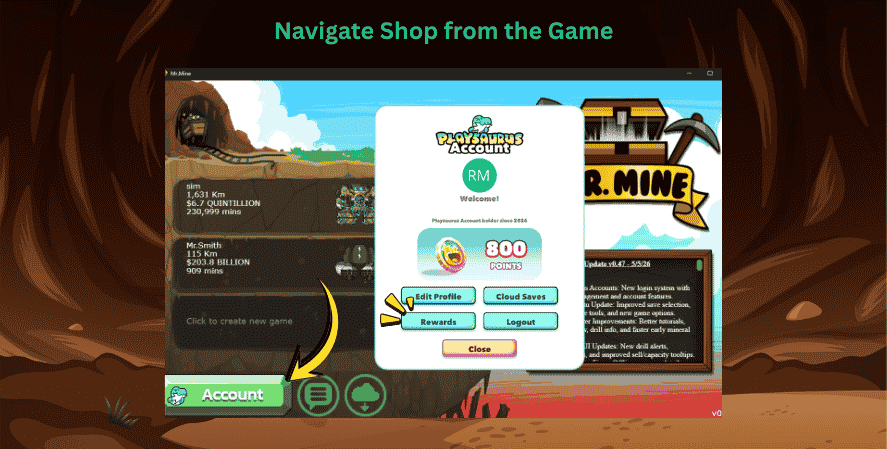
This route is useful because it keeps the process connected directly to the game. Players who are already logged in can move from gameplay to rewards without needing to search elsewhere.
The main menu route is especially helpful for casual players who may not visit external pages often. It also makes the rewards system feel like part of the full Mr. Mine experience rather than a separate feature.
Through the Web Portal
Players may also access the Point Shop through the web portal. This can be convenient for checking available rewards outside of active play.
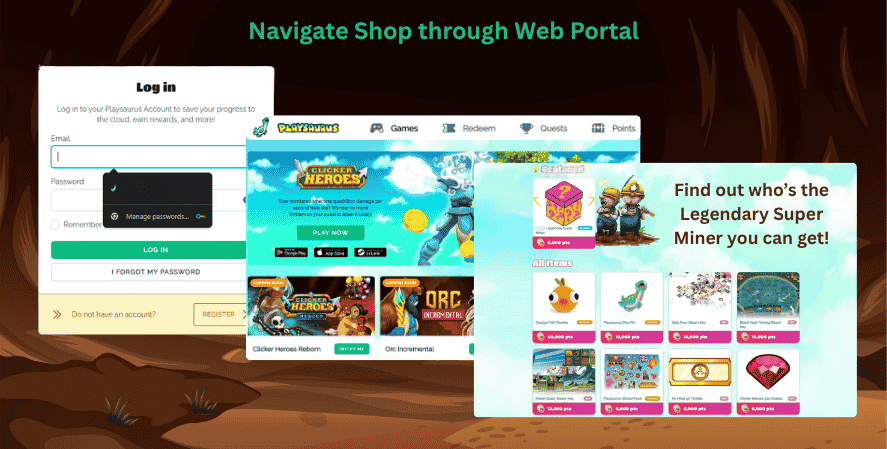
A web portal can be useful when you want to browse rewards, review account details, or manage redemptions without launching the game. However, you should still make sure you are signed into the same Playsaurus account used for Mr. Mine.
Using the wrong account can cause confusion. If your points or rewards are not showing where expected, account mismatch is one of the first things to check.
What Happens After Redeeming Mr. Mine Points?
After redeeming Mr. Mine Points, your reward may move through several stages before you can use it. Understanding these stages can help you avoid unnecessary worry.
Pending Rewards
A pending reward means the redemption has been submitted but has not yet been approved or delivered.
This does not always mean something is wrong. It usually means the request is waiting for review. During this stage, you should avoid repeatedly redeeming the same reward unless the system specifically tells you to try again.
Pending rewards are part of the approval process. Since some items may need verification, the delay helps ensure that the correct reward goes to the correct account.
Approved Rewards
An approved reward has passed review and is ready to be claimed or delivered.
At this stage, you may need to return to Mr. Mine and look for a reward popup. The popup should guide you through the claim process. Once claimed, the reward should become available according to its type.
Approved rewards are the result of a completed redemption. This is the point where your points have successfully been exchanged for the selected item.
Managing Rewards
Sometimes a player may close a reward popup by accident or miss the initial claim prompt. In that case, you may need to check the rewards area, account menu, or other available claim methods.
Managing rewards is easier when you use one consistent account. If a reward seems missing, make sure you logged into the same Playsaurus account you used during redemption.
Good account habits matter. They help you avoid problems with pending rewards, approved rewards, and claimed items.
Tips for Using Mr. Mine Points
Using Mr. Mine Points wisely can make the reward system more valuable. Since points are connected to reward choices, it helps to treat them like a resource.
Use the Same Account Everywhere
Always use the same Playsaurus account when playing Mr. Mine and visiting the Point Shop. This keeps your rewards, points, and claim history connected.
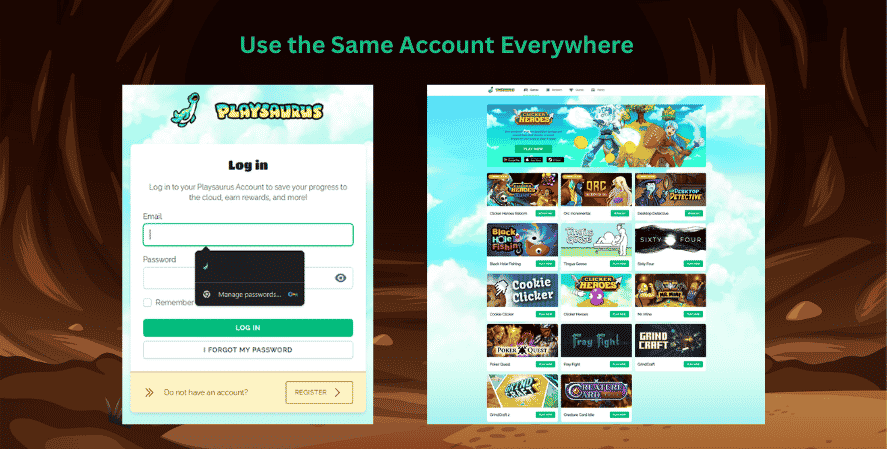
Account consistency is one of the simplest ways to avoid redemption problems. It is also helpful for players who access the game from different devices.
Check Reward Requirements Before Redeeming
Before spending points, read the reward details carefully. Look for requirements, restrictions, approval notes, or special instructions.
Some rewards may work differently from others. A small in-game item may have a different claim process than a larger promotional reward. Reading before redeeming can prevent confusion later.
Watch for Approval Notifications
Because rewards may need review, check for updates after redeeming. A reward may remain pending before it becomes approved.
Watching for notifications or checking your rewards area can help you know when it is time to return to the game and claim the item.
Save Points for Rewards You Want Most
It can be tempting to spend points as soon as you have enough, but saving can be smarter. If the Point Shop offers different reward tiers, you may prefer to wait for something more valuable.
This is similar to resource management in the main mining game. In Mr. Mine, players often decide whether to spend resources immediately or save for bigger upgrades. The same logic applies to points.
Think About Your Long-Term Gameplay
Mr. Mine is built around long-term progression. The more you understand the game mechanics, the easier it becomes to make smart choices.
Points are not separate from your overall experience. They support the same style of planning that makes the game satisfying: collect, upgrade, wait, optimize, and improve.
Players who enjoy best clicker games often like systems that reward patience and steady progress. Mr.Mine Points fit that pattern by giving players another reason to stay engaged over time.
Mr. Mine Points and the Larger Clicker Game Experience
Mr. Mine mixes mining progress with idle systems. It is a mining game where players dig deeper, collect resources, upgrade drills, and unlock new layers.
This makes it one of the many mining games online built around steady progress. For many players, it also belongs among the best mining games in the idle and incremental category.
The reward system adds more value to the game. It does not replace the main gameplay. Instead, it gives players another goal outside the mine.
This fits well with idle games. These games often reward patience, planning, and regular check-ins. Mr. Mine Points follow the same idea. You collect points, save them, and use them when the right reward appears.
Players who check the mrmine wiki may find general help about systems and mechanics. The Point Shop is still the best place to check current rewards and point costs.
Some players may also search for mrminer when looking for the game. No matter what term they use, the main idea is the same. Mr. Mine Points are tied to account-based rewards. Players should manage them through the official Playsaurus system.
Frequently Asked Questions About Mr. Mine Points
Not always. Some rewards may need approval before they can be claimed.
After you redeem a reward, it may enter pending status. Once approved, you can return to Mr. Mine and claim it through the available in-game method, often through a popup or rewards area.
Your reward may still be pending because it is waiting for review. This approval step helps confirm that the redemption is valid and connected to the correct account.
Pending status does not automatically mean there is a problem. However, you should make sure you logged into the same Playsaurus account you used to redeem the reward.
If you close the reward popup, you may still be able to find the reward later through the account or rewards area. Check the in-game menu and look for reward management options.
Using a linked account makes this easier because your reward status should remain connected to your profile.
Not necessarily. Different rewards may have different requirements, approval rules, or claim methods.
Before you redeem points, read the reward description carefully. This helps you understand whether the item is instant, pending, account-linked, or subject to additional review.
No. Players use regular game resources in the main mining progression system. Mr. Mine Points work with the Point Shop and reward redemption.
Both systems support progress, but they serve different purposes.
Yes, they can be useful for new players, especially if they plan to keep playing over time. New players should focus first on linking their account and understanding how the Point Shop works.
Conclusion
Mr. Mine Points give players another way to enjoy the game. Instead of only mining, upgrading, and waiting for progress, you can also collect points and use them in the Point Shop.
The process is easy to follow. Sign into your Playsaurus account. Visit the Point Shop. Choose a reward. Redeem your points. Then wait for approval and claim the reward in-game.
The most important tip is to use the same account every time. This helps keep your points and rewards in one place. It also makes it easier to claim approved rewards later.
Before you spend points, read the reward details. Some rewards may have special rules. Others may take time to approve. A quick check can help you avoid confusion.
In the end, the points system gives Mr. Mine players more value for staying active. Connect your account, explore the Point Shop, and save your points for the rewards you want most.