If you searched for Mr Mine Coolmathgames, you may be wondering if it is the same as the full Mr. Mine game. At first, the Coolmath Games version looks very similar because it still lets you mine resources, upgrade your drill, earn money, and build long-term progress. However, there are a few differences that players should understand before investing hours into the browser version.
In this 2026 guide, we will compare the Mr Mine Coolmathgames version with the full versions available on Steam, mobile, and the official web build. More importantly, we will explain what features are included, what limits players may notice, how saving works, and which version is better depending on how you want to play.
This guide is especially useful if you want a quick, no-download mining game that works directly in your browser. However, if you care about updates, advanced features, or stronger save options, you may want to compare the Coolmath version with the Mr Mine Steam version before choosing where to play.
What is Mr Mine / Mr Mine Idle?
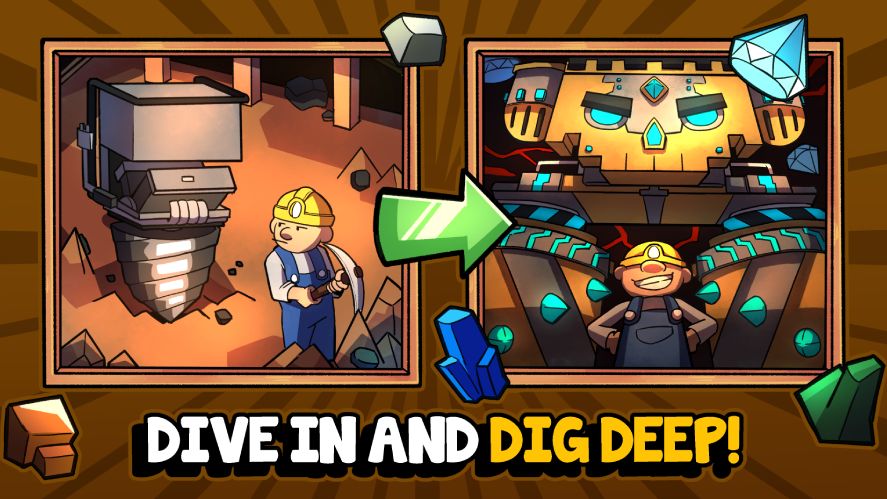
Before we compare versions, it helps to understand what Mr Mine actually is. Originally created by Playsaurus, the same studio that made Clicker Heroes, this is a clicker game with a heavy focus on mining, upgrading, and long-term progress. It’s part of a growing group of popular genres including idle games, incremental games, and mining games online.
Game Overview
Mr Mine is, at its core, a game about digging. You start with a basic drill and begin mining into the Earth to gather resources. As you dig deeper, you unlock new materials, meet new characters, discover ancient relics, and improve your operation.
The game blends simple mechanics with surprising depth. It appeals to both casual players and fans of optimization strategies. Over time, your mine grows into a massive network of tunnels, machinery, and automation systems. While it might seem slow at first, progress builds quickly once you learn how to manage resources effectively.
Key Features and Mechanics
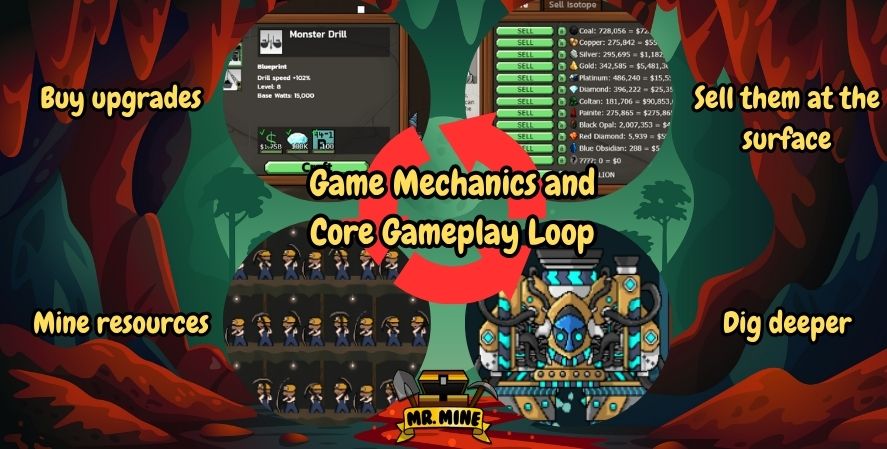
Some of the core elements that define Mr Mine include:
- Mining for Resources: Dig down into the Earth to find coal, gold, diamonds, and rare elements.
- Hiring Workers: Hire miners and assign them to deeper layers of your mine.
- Upgrading Equipment: Improve your drills and support systems to increase speed and efficiency.
- Unlocking Relics: Special items that provide permanent upgrades or effects. You can learn more about earning them through scientists and excavation missions.
- Exploring Hidden Areas: Discover secret rooms and bosses as you dig deeper.
- Prestige System: Reset progress in exchange for permanent boosts, common in idle mining games.
This makes it one of the best mining games on the market today. Whether you’re into strategic resource management or just want to enjoy an engaging mining clicker game, Mr Mine offers both.
Availability Across Platforms
Mr Mine can be played in several ways:
- Web Browsers: Through official platforms or hosting sites like Coolmath Games
- Steam: Offers enhanced graphics and save features
- Mobile Devices: Available on iOS and Android with some platform-specific tweaks
Each version has its own advantages. However, as we’ll explore next, the version hosted on Coolmath Games has a few specific changes that you should know about.
What Players Want to Know About Mr Mine Coolmathgames in 2026
Many players search for Mr Mine Coolmathgames because they want a simple answer: is this version worth playing? The answer is yes, especially if you want a quick and easy browser experience. However, it is important to know what type of player this version is best for.
The Coolmath version works well for casual players because it does not require a download, Steam account, or mobile app installation. As a result, it is easy to open during short breaks and continue mining from the same browser. In addition, the game keeps the main idle loop that makes Mr. Mine enjoyable: dig deeper, collect resources, upgrade equipment, and slowly unlock stronger progression.
However, players who want the most complete experience may prefer the official web, Steam, or mobile version. These versions are usually better for long-term players because they may offer better update support, more platform features, and more reliable save options.
Best For Casual Browser Players
The Mr Mine Coolmathgames version is a good choice if you want:
- A no-download mining game
- A simple browser experience
- Quick access from school, work, or a shared computer
- A clean way to test the game before trying another platform
- Basic idle mining progress without extra setup
Because of this, the Coolmath Mr Mine version is a strong entry point for new players. It gives you enough of the core game to understand why Mr. Mine is popular.
Better Options for Long-Term Players
On the other hand, the Steam, mobile, or official browser versions may be better if you plan to play for weeks or months. This is because long-term progress depends heavily on save stability, updates, and platform support.
Choose another version if you want:
- A more complete Mr Mine experience
- More reliable progress management
- Better support for future updates
- A version connected to your main gaming platform
- A better option for deeper progression
In short, Coolmath is best for easy access, while the full versions are better for serious progress.
Mr Mine on Coolmathgames — Official Inclusion and Positioning
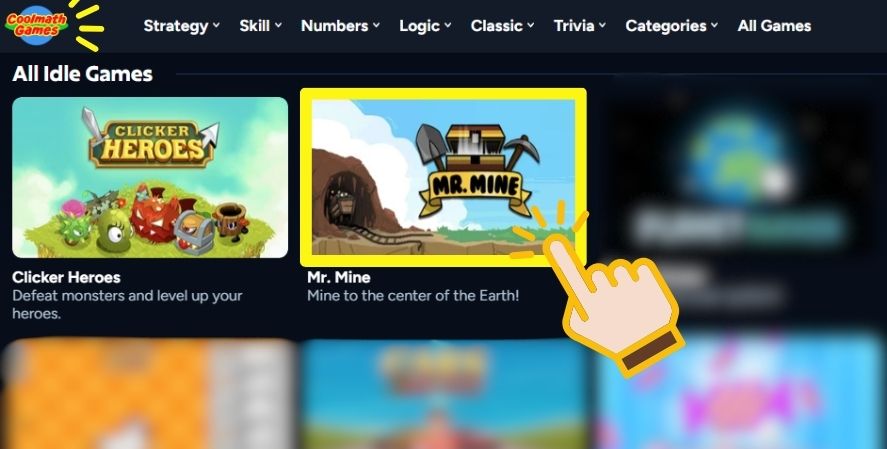
Coolmath Games is best known for its school-safe, browser-based titles. Over the years, they’ve expanded into more game genres. Today, they include logic puzzles, simulators, and even idle games like Mr Mine. This shift helps attract older players and keeps the catalog fresh.
So how did Mr Mine find its way to Coolmath?
Why It’s Available on Coolmath Games
Coolmath Games uses a strict curation system. Games must pass reviews for age-appropriateness, browser safety, and usability. Mr Mine fits their goals well because:
- It promotes thinking and planning
- It uses safe language and visuals
- It is engaging without being too complex
- It can be played in short sessions
This makes it suitable for classrooms, libraries, and other public settings where downloadable games or games with ads might be restricted. Plus, because it’s a browser game, there’s no need to install anything. Just open the site and play.
How It’s Promoted
Searches like coolmath Mr Mine, mr mine cool math games, and mr. mine – play online at coolmath games are popular because the platform makes access simple. Coolmath promotes the game using:
- Strategy tips and overviews
- Featured listings on their Idle Games page
- A “Play in Browser” experience without distractions
Still, this version is slightly different from the one on Steam or mobile. These changes are often small, but for dedicated players, they matter. Let’s break down those differences next.
Key Differences in the Coolmathgames Version vs the Full Version
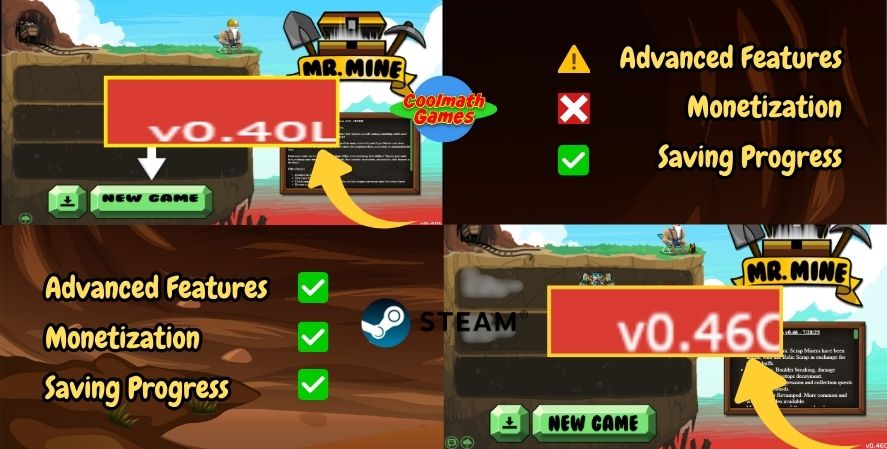
Although Mr Mine plays mostly the same no matter where you access it, there are some clear differences in the Coolmathgames version. These changes affect features, performance, and how updates are handled.
Here’s a detailed comparison table:
| Feature / Aspect | Mr Mine Coolmathgames Version | Full / Steam / Official Versions | What This Means for Players |
|---|---|---|---|
| Access | Playable directly in a browser | Available through Steam, mobile, and official web platforms | Coolmath is easier for quick play, while full versions are better for long-term use. |
| Installation | No download required | Steam and mobile versions require installation | This makes Coolmath convenient for players who want instant access. |
| Updates | May receive updates later than other versions | Usually better for current features and platform updates | Some newer content may appear later on Coolmath. |
| Saving Progress | Progress may depend on browser storage | Steam and mobile versions may offer stronger platform-based save support | Players should avoid clearing browser data if they use Coolmath. |
| Performance | Depends on browser and device performance | Standalone versions may run more consistently on supported devices | Older computers or busy browsers may slow down during deeper progress. |
| Best Use | Casual play, school-safe browsing, and quick sessions | Long-term progress and deeper gameplay | Coolmath is best for easy access, while full versions are better for dedicated players. |
As you can see, while the Coolmath version includes the core gameplay, it may lack some of the newer or experimental systems found in the full release.
What to Expect When Playing Mr Mine on Coolmathgames
Now that you know the differences, what should you expect when playing this version of the game? Let’s go over what works well and where limitations might appear.
Pros of the Coolmath Version
- Simple Access: Open the website and play instantly
- Safe for Work or School: No questionable ads or content
- No Installation Needed: No download or sign-up required
- Stable Version: Less likely to crash or contain bugs
- Light Monetization: No popups or purchases needed to play
This makes it great for casual players, students, or those just checking out the game for the first time.
Cons to Watch Out For
- Slower Updates: You might not get the latest relics or gameplay changes
- Performance Drops: The game might lag at deeper levels like 2400 meters or more
- Limited Saves: If you clear your browser cache, your progress is gone
- Feature Gaps: Some items or events may not appear on this version
- No Syncing: You can’t switch to your phone or Steam and continue your save
Still, many players find this version enjoyable. As long as you manage expectations and avoid going too deep too quickly, you can enjoy many hours of gameplay.
User Reports and Community Observations
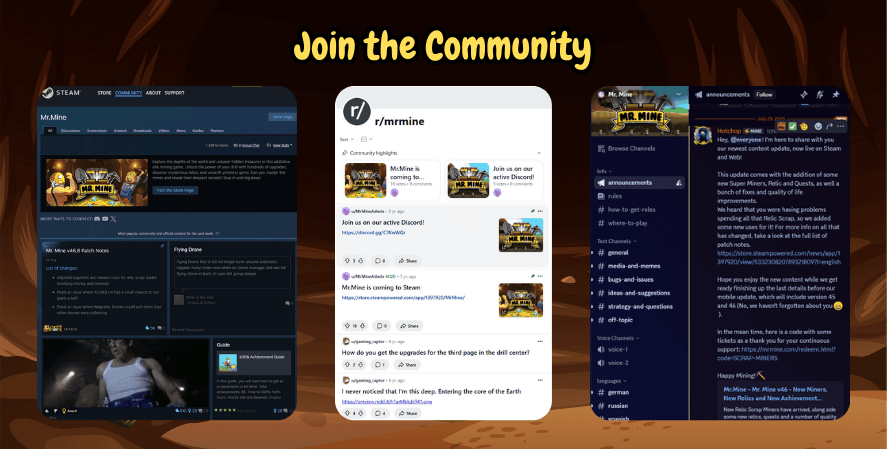
Since Mr Mine is a popular title with a loyal player base, it’s no surprise that many have shared their thoughts online. From Reddit discussions to wiki entries and even YouTube gameplay videos, users have compared the Coolmath Mr Mine version with others.
These shared experiences help paint a clearer picture of what works well and what still needs improvement on Coolmath Games.
Reddit Feedback
Several Reddit threads bring up small but useful details about how the game performs across platforms. One user said:
“It’s annoying, but it works. The website version on Cool Math Games does not have this problem and works as intended.”
This statement is telling. Some players report that Coolmath’s web version is actually more stable than the mobile one. Specifically, mobile devices may suffer from crashes, graphical glitches, or freezing issues as the mine gets deeper. In contrast, the Coolmath version avoids many of these problems, likely because it’s running a stable, browser-optimized build.
Reports on Feature Gaps
However, not all feedback is positive. A few advanced players have noticed missing or limited features, such as:
- No access to new relics added in recent updates
- Slower spawning of certain underground events
- Reduced difficulty options, making it more casual
Many of these issues stem from the fact that Coolmath’s version may be slightly behind the Steam version. Since Coolmath curates their content carefully, they may delay updates to ensure nothing breaks their platform’s compatibility.
Wiki and Community Tools
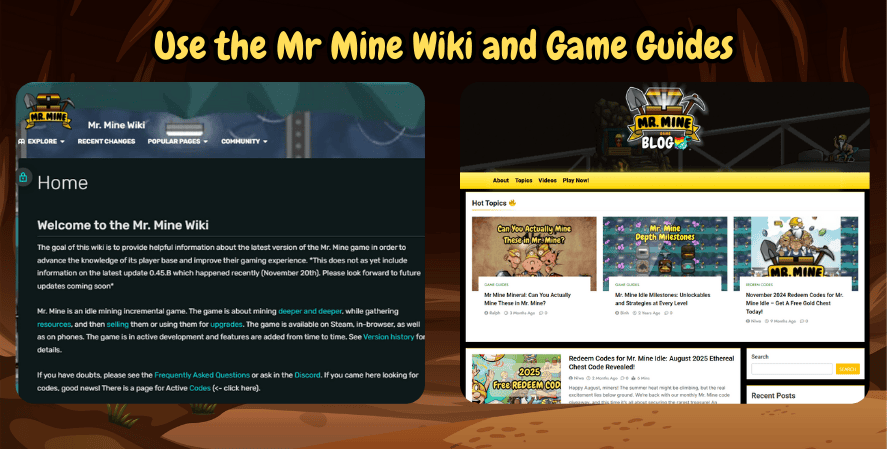
The Mr Mine Wiki (also known as mrmine wiki or Mr Mine Wiki) offers detailed breakdowns of each item, layer, and event in the game. Comparing the Coolmath version to wiki entries, it becomes clear that some newer features may be absent. For example, players have noted that advanced automation tools or experimental areas may be missing from the Coolmath build.
Despite this, casual players may not even notice. If you’re not diving into min-maxing strategies or reaching layer 2400 quickly, you’ll likely have a complete and fun experience.
Should You Play Mr Mine on Coolmath Games or Steam?
The best version depends on how seriously you want to play. If you only want to try the game, the Mr Mine Coolmathgames version is a great starting point. It loads in the browser, keeps the basic mining loop, and does not require extra setup.
However, if you want to make long-term progress, the Mr Mine Steam version may be a better choice. Steam is usually more suitable for players who want a dedicated game library, platform features, and a more complete PC experience.
Choose the Coolmath Version If:
- You want to play instantly in your browser.
- You do not want to install anything.
- You are trying Mr. Mine for the first time.
- You only play in short sessions.
- You prefer simple access over advanced features.
Choose the Steam or Official Version If:
- You want to play Mr. Mine for a long time.
- You care about updates and platform support.
- You want a more complete version of the game.
- You do not want to depend only on browser storage.
- You plan to reach deeper levels and optimize your progress.
Overall, Coolmath is best for convenience. Meanwhile, Steam and the official versions are better for players who want a stronger long-term setup.
Tips for Players Using Coolmathgames Version
If you’re planning to play Mr Mine through Coolmath Games, here are some practical tips to help you get the most from the experience. While this version is simpler in many ways, there are still smart strategies you can follow to progress efficiently and avoid setbacks.
1. Protect Your Save File
Since Coolmath’s version stores your game progress in local browser storage, it’s crucial to keep it safe.
- Avoid using private browsing or clearing cookies
- Bookmark the game page to return easily
- Use the same browser and device to avoid compatibility issues
There is currently no cross-platform syncing. This means you won’t be able to start a game on Coolmath and continue on Steam or mobile later.
2. Optimize Browser Performance
As your mine grows deeper, performance may decline, especially if your computer is older. To reduce lag:
- Close unused browser tabs and windows
- Disable unnecessary browser extensions
- Use Chrome or Firefox, as they tend to handle browser games better
- Don’t leave the game running for hours without refreshing
Following these steps will help maintain smoother gameplay, even beyond depth 2400 where the game gets more demanding.
3. Follow Proven Strategies
The game’s idle and clicker mechanics benefit from a smart balance between upgrades and patience. To progress efficiently:
- Focus on upgrading your drill speed early
- Hire workers as soon as possible to dig faster
- Use surface upgrades to improve production capacity
- Check the in-game store for valuable one-time upgrades
- Don’t be afraid to prestige once progress slows down
The same strategies that apply in the full version work in the Coolmathgames version too. This keeps the game fair and balanced, even with limited features.
4. Be Patient With Updates
If you’re waiting for new content or patches, remember that Coolmath Games may not update the game right away. Their platform often tests builds before releasing them to the public. While this may cause delays, it also ensures the game is stable and safe to play.
If a feature you saw on a YouTube video or the Mr Mine Wiki is missing from your version, give it time. It may be added in the next content push.
Frequently Asked Questions About Mr Mine Coolmathgames
Yes. The Mr Mine Coolmathgames version is free to play in your browser. You do not need to download the game or create an account just to start mining.
It includes the main mining, upgrading, and idle progression loop. However, it may not always match the full Steam, mobile, or official web versions in updates, features, or save options.
In most cases, you should not expect progress from the Coolmath browser version to transfer to Steam or mobile. Because of this, long-term players may want to start on their preferred main platform from the beginning.
Browser performance can depend on your device, browser, open tabs, and extensions. If the game slows down, close unused tabs, refresh the page, and use the same browser where your save is stored.
Yes. It is one of the easiest ways to try Mr. Mine because it works directly in the browser. In addition, the simple access makes it a good choice for new players who want to learn the game before trying another version.
Final Thoughts: Is Mr Mine Coolmathgames Worth Playing in 2026?
Mr Mine Coolmathgames is worth playing if you want a simple, free, and browser-based way to enjoy Mr. Mine. It keeps the main gameplay loop that makes the game fun: mining deeper, earning money, upgrading your drill, and building steady idle progress over time.
However, this version is best viewed as a convenient browser option rather than the most complete version of the game. Since it may have limits with updates, saving, and platform features, dedicated players may prefer the Steam, mobile, or official web versions.
For casual players, students, and anyone who wants a no-download mining game, the Coolmath version is a strong choice. Meanwhile, players who want deeper long-term progress should compare it with the Mr Mine Steam version before deciding where to invest their time.
Overall, the Mr Mine Coolmathgames version remains a useful and accessible way to experience one of the most enjoyable idle mining games online in 2026.